
Quick Read
- Apple now recommends iOS 26.1 for iPhone users still on iOS 18, marking a shift in support.
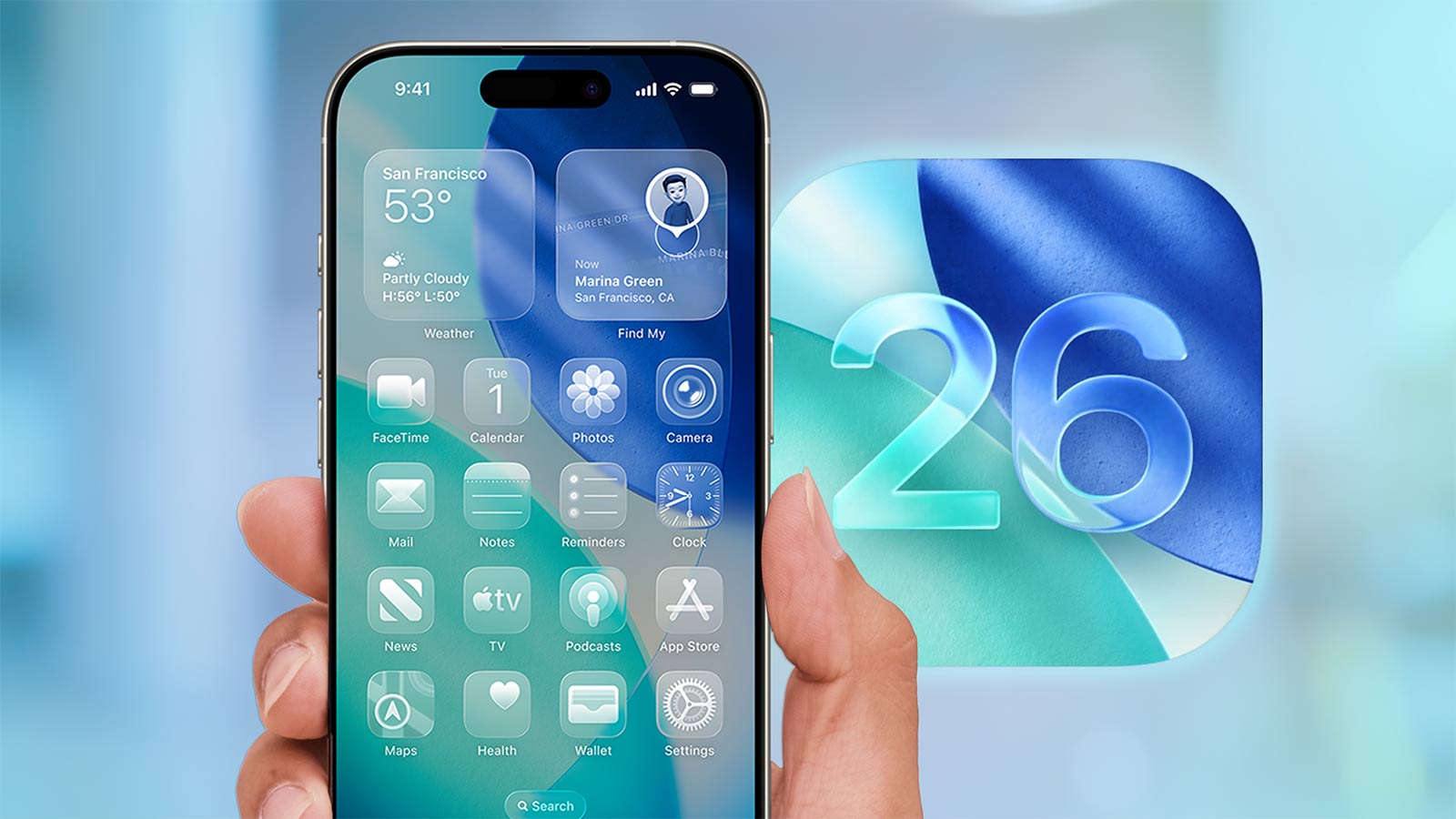
- iOS 26.1 introduces Liquid Glass redesign, expanded Live Translation, and enhanced AI features.
- Update is compatible with iPhone 11 and newer, including SE (2nd/3rd gen); older devices remain on iOS 18.
- Security updates for iOS 18 will end soon, increasing risks for unpatched devices.
- Upgrading is simple via Settings, with Apple emphasizing improved stability and privacy.
Why Apple Is Pushing iOS 26.1: The End of the Road for iOS 18
In December 2025, Apple made a decisive move: iOS 26.1 is now the default recommended update for iPhone users, leaving iOS 18 in the rearview mirror. This isn’t just a routine nudge—it’s a clear signal that the era of iOS 18 is coming to a close. If you’ve been hesitating to update, Apple’s message is unambiguous: the time to upgrade is now.
Apple’s recommendation comes after months of continued support for iOS 18, even as newer versions rolled out. According to Red94, the company is ramping up its efforts to get users onto the latest software as iOS 18 reaches the final stages of its support lifecycle. Security updates for iOS 18 will soon become scarce, making devices running the older system increasingly vulnerable to new threats. With iOS 26.1, Apple offers a safer, more robust environment—one that reflects the company’s latest priorities for user privacy and system security.
Liquid Glass Redesign: A Visually Dynamic iPhone Experience
One of the most talked-about features of iOS 26.1 is the Liquid Glass interface redesign. Gone are the static visuals of iOS 18—Apple’s new design language brings a sense of depth and personalization to the iPhone. Users can now customize the appearance of their device with tinted Liquid Glass controls, choosing between solid and translucent styles to match their taste or improve visibility in bright sunlight.
The changes go deeper than aesthetics. Apple has streamlined system gestures, making everyday actions like accessing the camera or dismissing alarms more intuitive. For instance, the Lock Screen camera swipe now lets you launch the camera instantly, bypassing the need to unlock your phone. The addition of Slide to Stop for alarms means you can silence timers with a simple swipe, rather than fumbling for a button. Haptic feedback is crisper, and the Photos app offers a smoother video scrubber and improved navigation—making it easier to relive memories or organize your gallery.
As PCMag noted, these interface changes aren’t just about looking modern; they fundamentally change how the phone feels in your hand. The Liquid Glass design makes the iPhone’s interface more dynamic and easier to read, contributing to a better overall experience.
Expanded Live Translation and Apple Intelligence: Breaking Language Barriers
Another major upgrade in iOS 26.1 is the expansion of Live Translation. Previously, AirPods users had limited options for real-time language translation. Now, iOS 26.1 adds support for more languages, making international travel and cross-cultural communication smoother than ever. Whether you’re collaborating with colleagues across borders or navigating a foreign city, your iPhone can help you break through language barriers in real time.
Apple’s commitment to on-device privacy is also evident in the update. The company’s Apple Intelligence suite brings private, on-device AI capabilities to the forefront. This means features like voice recognition, text prediction, and system responsiveness are powered locally, without sending sensitive data off your device. Messaging gets a boost, too, with new options like polls and custom backgrounds—making conversations more interactive and fun.
These upgrades put iOS 26.1 ahead of iOS 18, where AI features and translation support lag behind. For users who rely on their iPhones for productivity and communication, the benefits are clear.
Device Compatibility: Who Can Upgrade?
Apple’s recommended update is not universal. iOS 26.1 supports iPhone 11 and newer models, including the SE (2nd and 3rd generation), and all subsequent iPhone lineups (12, 13, 14, 15, 16, and 17). If you own one of these devices, you’re eligible for the upgrade. However, older models like the iPhone XS, XR, and SE (1st generation) are left out due to hardware limitations. For these users, iOS 18 will remain the final supported version until Apple ends support entirely.
For those with compatible devices still running iOS 18, the upgrade path is straightforward. As MacRumors details, simply head to Settings > General > Software Update, where iOS 26.1 is now the top choice. Ensure your device is charged and connected to Wi-Fi, and consider backing up your data to iCloud before proceeding. The update process typically takes 15-30 minutes, depending on your model and available storage.
Why Upgrade Now? Stability, Security, and the Future
Apple’s endorsement of iOS 26.1 comes after addressing initial bugs found in the early iOS 26.0 release. Users reported issues, prompting Apple to hold back its recommendation while fixes were rolled out. Now, with iOS 26.1 stable and widely tested, Apple is confident in urging users to make the jump.
Security is the overriding concern. As support for iOS 18 tapers off, vulnerabilities will go unpatched, leaving devices exposed. iOS 26.1 delivers the latest protective measures, keeping your personal data secure against emerging threats. The update also brings improved system performance, enhanced navigation in the Photos app, and a more responsive CarPlay experience—further elevating daily use.
For most users, the upgrade is a clear win. Only those who rely on rare apps or settings exclusive to iOS 18 might consider holding off. For everyone else, iOS 26.1 is safer, faster, and more feature-rich.
Apple’s own statement captures the shift: “iOS 26 introduces new features in CarPlay, Apple Music, Maps, and Wallet, as well as Apple Games, a brand-new app that gives players a curated experience,” according to Red94.
Is It Worth It? Weighing the Upgrade
Deciding whether to upgrade often comes down to weighing the risks and rewards. With Apple’s official recommendation and the clear improvements in security, features, and stability, the case for updating is strong. Battery life remains a concern for some, but Apple’s ongoing updates aim to refine performance and address user feedback.
For those still on iOS 18, the longer you wait, the greater your exposure to security risks and missed opportunities for enhanced functionality. iOS 26.1 isn’t just a cosmetic update—it’s a fundamental shift in how Apple envisions the iPhone experience.
Apple’s recommendation of iOS 26.1 marks a turning point in its support strategy. For iPhone 11 and newer, upgrading is more than just a technical step—it’s about ensuring your device stays secure, responsive, and ready for the future. The Liquid Glass redesign, expanded translation, and private AI features set a new standard, making iOS 26.1 the clear choice for users who want the best from their iPhone.