
Quick Read
- Samsung One UI 8 is expanding globally, built on Android 16.
- Two new interactive wallpapers added, but placed in the unpopular ‘Graphical’ category.
- AI features like Gemini Live and Best Face improve usability and personalization.
- Dynamic lock screen clock and streamlined Galaxy Buds management introduced.
- Update promises six years of OS and security support for compatible devices.
One UI 8: Samsung’s Bold Step Forward, But Is It Enough?
Samsung’s software upgrades often arrive with anticipation—and skepticism. With the global rollout of One UI 8, built on Android 16, the tech giant promises smarter AI features, streamlined design, and new interactive elements for Galaxy users. But for all the excitement, some choices—especially around visual customization—are drawing mixed reactions from the community.
New Interactive Wallpapers: Beauty or Missed Opportunity?
One of the headline additions in One UI 8.5 is the launch of two fresh interactive wallpapers, tucked into the “Graphical” section. The first is a basketball court surface, where a ball subtly drops and rolls across your lock screen. The second, a stylized archway with stairs, rotates gently when you tilt your phone, creating a parallax effect that plays with depth and motion.
On paper, these are creative flourishes. But here’s the catch: the “Graphical” category has long been the least-loved among Samsung’s wallpaper options. By choosing this section for its most interactive designs, Samsung seems to be testing the waters—offering novelty, but not quite hitting the mark for users who crave more visually striking or personalized backgrounds. The move, reported by SamMobile, breaks tradition, as Samsung rarely introduces new wallpapers during major OS updates. For some, it’s a welcome change; for others, a missed chance to truly delight.
AI-Powered Features: Making Everyday Tasks Smarter
If wallpapers are the surface, AI is the engine under the hood. One UI 8’s most transformative updates are driven by artificial intelligence. The standout is Gemini Live, an AI assistant that responds to long presses on the power button. Gemini Live analyzes your environment in real time, offering context-aware help—whether you’re snapping photos, browsing, or multitasking.
The update also brings smarter tools to the Gallery app. Ever wish you could salvage a group photo where someone blinked or looked away? Samsung’s new Best Face tool lets you edit motion photos, choosing the perfect moment for each face. And for video creators, the Audio Eraser function lets you scrub out unwanted noise—wind, crowd chatter, or background hum—directly from your clips. These upgrades aren’t just gimmicks; they’re designed to solve everyday annoyances, making your phone more responsive and intuitive.
Dynamic Lock Screen Clock and Personalized Suggestions
Personalization is another theme. One UI 8 introduces a dynamic lock screen clock that adapts its style to your wallpaper, ensuring that your photos—be they of loved ones or favorite places—remain the focus. The clock’s appearance blends with the background, maintaining readability without stealing the spotlight.
Meanwhile, wallpaper suggestions now tap into your own Gallery. Your device will recommend images that look good as backgrounds, reducing the need to hunt through menus or third-party apps. This subtle shift puts user content front and center, making each device feel uniquely yours.
Streamlined Device Management and Security Upgrades
Samsung isn’t just refining aesthetics—it’s also simplifying controls. Access to Galaxy Buds management is now built into system settings, eliminating the need for separate apps. Security has also received a boost, with enhanced system stability and the promise of long-term updates. Devices like the Galaxy S23 FE are seeing these changes first, with the One UI 8 update bringing improved privacy tools and the robust Samsung Knox Vault for data protection.
Global Rollout and Device Compatibility
One UI 8’s expansion is rapid and far-reaching. In the United States, the Galaxy S23 FE received the update first via Verizon, after initial launches in India, Europe, and South Korea. Other models and carriers are set to follow, with full deployment expected by mid-November. Samsung’s promise of six years of OS and security updates signals a commitment to longevity, even for mid-range devices like the Galaxy A26 5G.
User Experience: Innovation Meets Familiarity
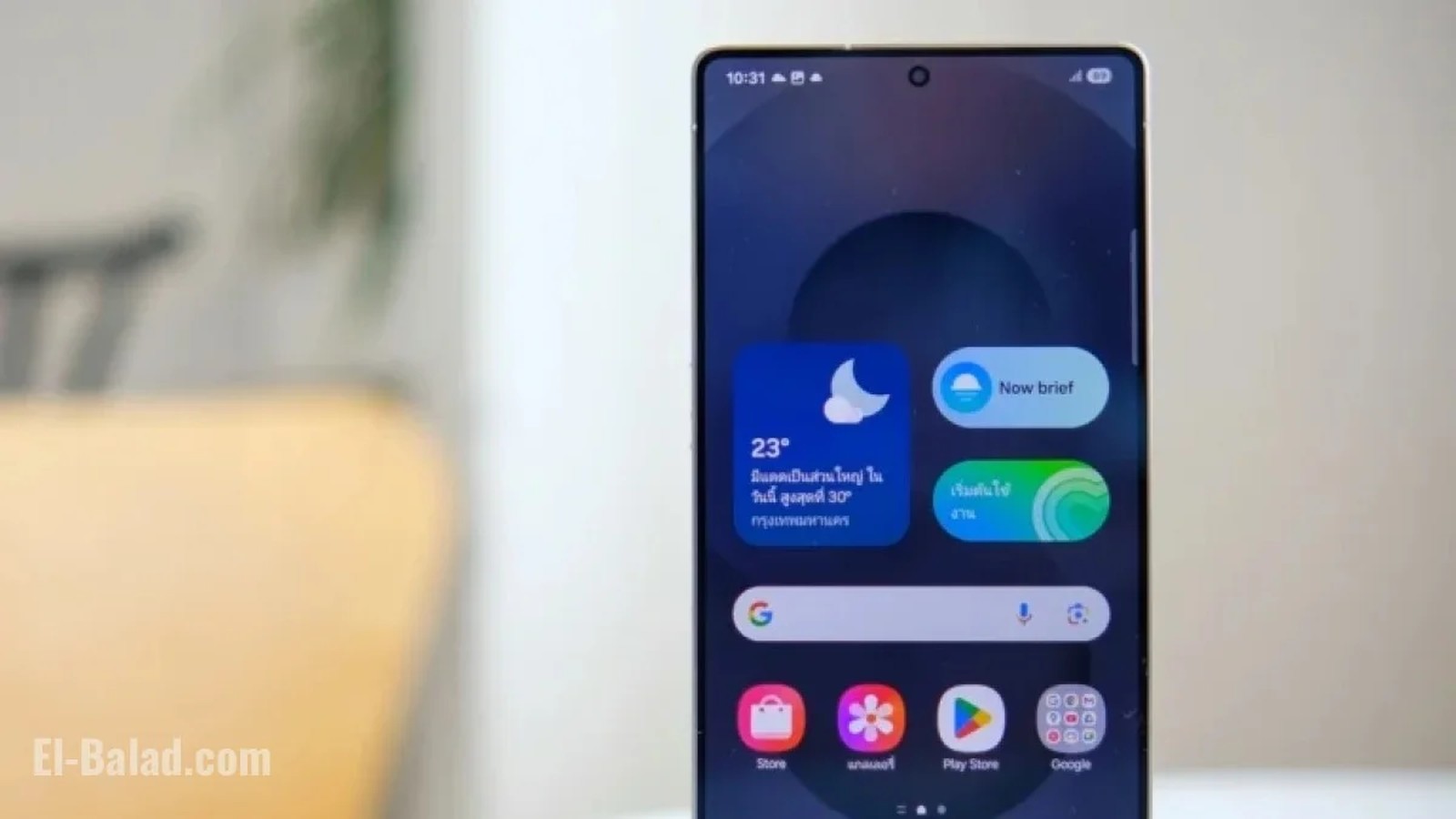
Despite the major Android version leap, One UI 8 doesn’t radically overhaul the interface. Instead, it refines and enhances existing features, aiming for a balance between innovation and familiarity. The Now Bar and Now Brief functionalities, previously exclusive to the Galaxy S25, now appear on more devices—offering quick access to music, calls, weather, and reminders right from the lock screen.
Samsung’s approach this cycle is clear: smarter tools, smoother interaction, and incremental design improvements. But the lack of dramatic visual change—and the continued reliance on less-popular graphical elements—means some users may find the update underwhelming.
Community Response: What Do Users Really Want?
Feedback from the Galaxy community has been swift. Many appreciate the AI-powered features and extended security support, especially on devices not considered flagship models. The improved lock screen clock and personalized wallpaper suggestions are widely praised. Yet, the interactive wallpapers—while novel—haven’t convinced everyone. For some, the choice of the “Graphical” category feels disconnected from what users actually want: more vibrant, customizable, and meaningful backgrounds.
There’s a broader question at play: Is Samsung listening closely enough to its users, or is it prioritizing technical novelty over genuine utility? The answer may shape future updates as the company navigates a rapidly evolving mobile landscape.
Looking Ahead: Evolution or Experiment?
As One UI 8 continues its rollout, the conversation around design, AI, and user engagement will only intensify. Samsung’s willingness to experiment is evident, but so is its cautiousness. For every innovative tool, there’s a choice that feels safe—sometimes at the expense of true excitement. The next few months will reveal whether users embrace these changes or call for bolder moves.
Samsung’s One UI 8 update stands as a thoughtful evolution, not a revolution. The embrace of AI and subtle design tweaks show a company attuned to user needs—yet the persistent reliance on less-popular visual elements hints at a missed opportunity to truly redefine the Galaxy experience. The lesson? Listening to user feedback, especially around personalization, will be critical for Samsung’s next leap forward.