


Quick Read
- Samsung’s Good Lock app is now available globally with One UI 7.
- The app can be downloaded from both the Galaxy Store and Google Play Store.
- Good Lock offers modules for deep customization of Galaxy devices.
- A redesigned interface includes ‘Terrace,’ ‘Plugins,’ and ‘You’ sections.
- Global rollout eliminates previous regional restrictions.
Samsung’s Good Lock Goes Global with One UI 7
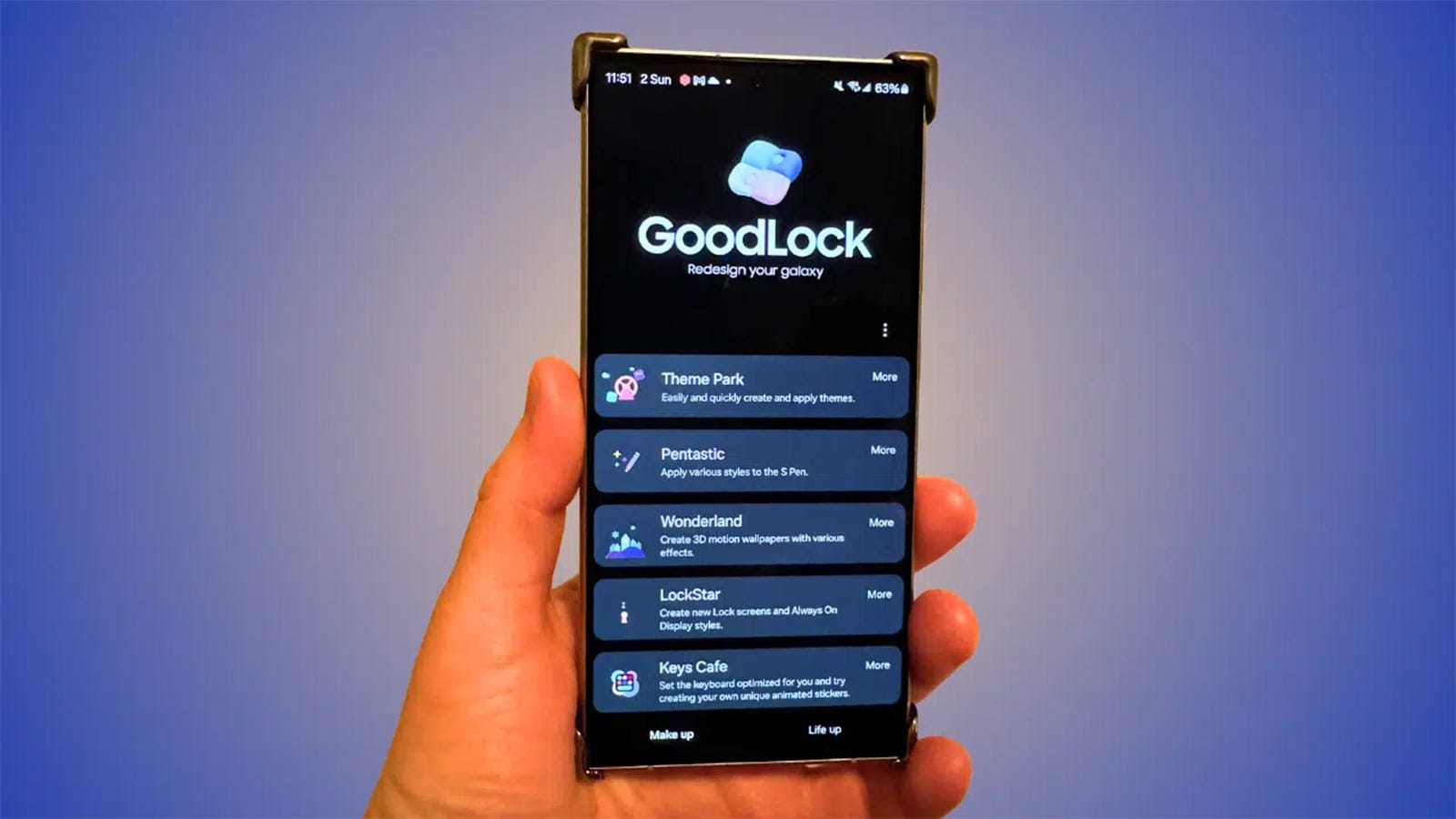
Samsung has officially expanded its Good Lock app to a global audience, marking a significant milestone in the app’s history. Previously restricted to select regions, Good Lock is now available worldwide with the rollout of Samsung’s One UI 7. This development allows Galaxy users across the globe to access the app’s extensive customization features without relying on workarounds like VPNs or APK sideloading.
What is Good Lock?
Good Lock, first introduced in 2016, is a suite of customization tools designed exclusively for Samsung Galaxy devices. The app empowers users to personalize various aspects of their devices, including navigation, themes, home screens, lock screens, and multitasking capabilities. Over the years, it has become a favorite among Samsung enthusiasts for its ability to transform the user experience.
Key Features of Good Lock
Good Lock offers a wide range of modules that cater to different customization needs. Here are some of the most popular modules:
- NavStar: Customize navigation gestures and buttons.
- Theme Park: Create and apply custom themes.
- Home Up: Modify the home screen layout and folder settings.
- LockStar: Personalize the lock screen appearance.
- MultiStar: Enhance multitasking capabilities.
- Camera Assistant: Access advanced camera customization options.
These modules enable users to tailor their devices to their preferences, enhancing both aesthetics and functionality.
Redesigned Interface for Enhanced Usability
With the release of One UI 7, Samsung has introduced a redesigned interface for Good Lock. The new interface is divided into three main sections:
- Terrace: A hub for news and updates about the app.
- Plugins: Access to various customization modules.
- You: Personal settings and preferences for a tailored experience.
This revamped design aims to make navigation more intuitive and user-friendly, ensuring that users can easily find and utilize the app’s features.
Global Availability and Accessibility
One of the most significant aspects of this update is the global rollout of Good Lock. Previously, the app was only available in select regions, which limited its accessibility. With the release of One UI 7, Samsung has removed these regional restrictions, allowing users worldwide to enjoy the app’s capabilities.
In addition to its availability on the Galaxy Store, Good Lock can now be downloaded directly from the Google Play Store. This move enhances accessibility and simplifies the installation process for users.
Impact on Users in Kenya
In Kenya, Good Lock became officially available with the release of the Galaxy S25 series in early 2025. While the stable One UI 7 update is still rolling out to older devices, users with compatible models can now download Good Lock directly from the Galaxy Store or the Google Play Store. This marks a significant improvement in accessibility for Kenyan users, who previously had to rely on workarounds to access the app.
How to Install Good Lock
Installing Good Lock is straightforward. Users can follow these steps:
- Ensure your device is running One UI 7 or later.
- Open the Galaxy Store or Google Play Store on your device.
- Search for “Good Lock” and tap on the app.
- Click “Install” to download and install the app.
- Launch Good Lock and explore its modules to customize your device.
The global expansion of Samsung’s Good Lock app is a game-changer for Galaxy users. By removing regional restrictions and making the app available on the Google Play Store, Samsung has made it easier than ever for users to personalize their devices. With its extensive range of customization modules and a redesigned interface, Good Lock continues to set the standard for device personalization.
S